How do I edit the email address in my TaxExemptBonds account?
Last modified 9/27/2024 6:55:59 AM EST |
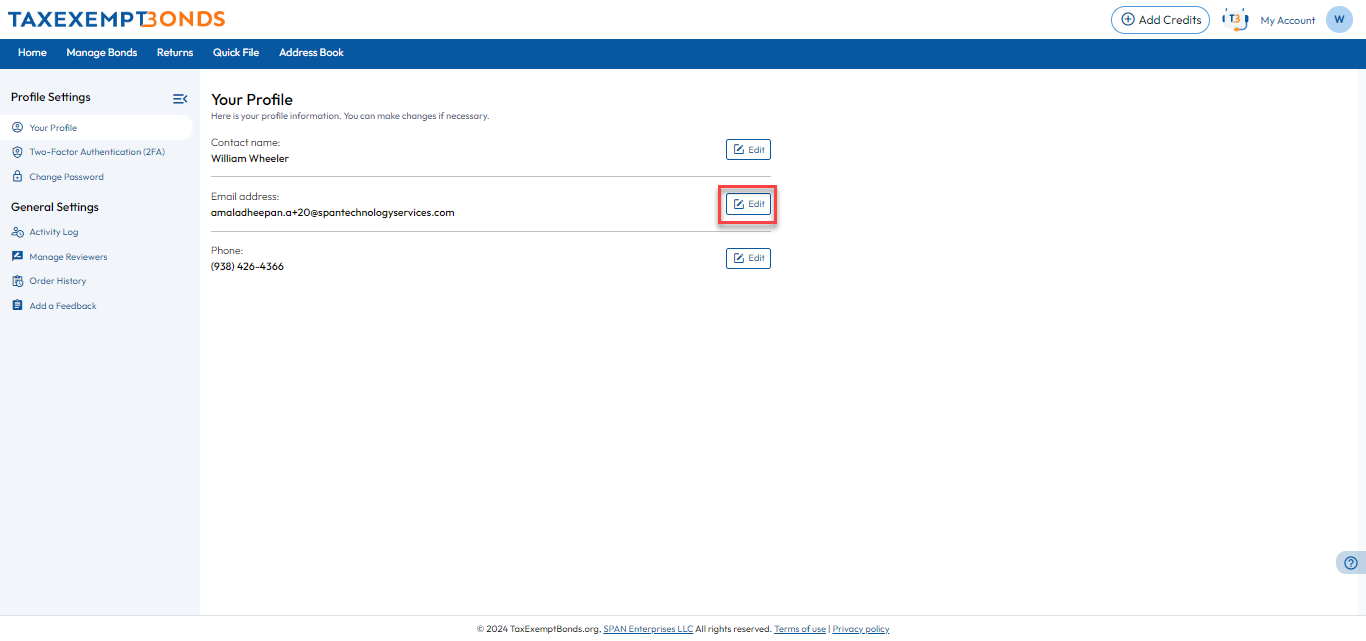
Step 1: TaxExemptBonds allows users to edit their registered email addresses. To edit an email address, navigate to ‘Your Profile’ from the ’My Accounts’ menu. There click ‘Edit’ button corresponding to your email address.
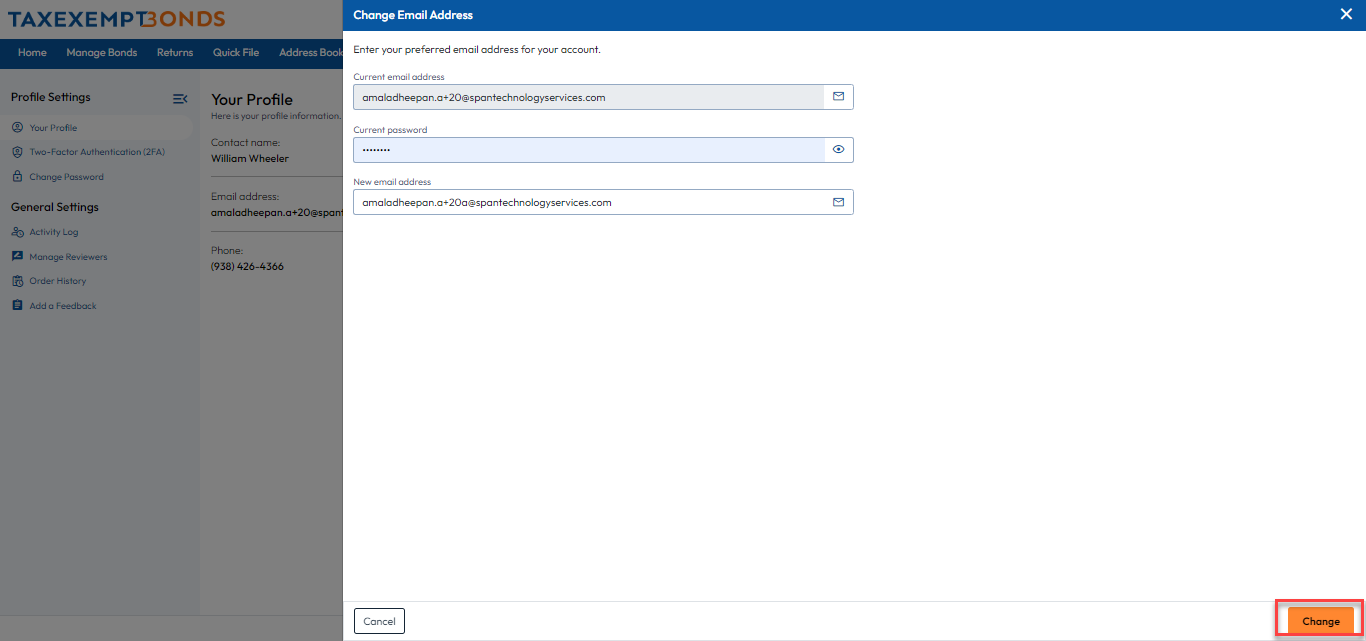
Step 2: Then, provide the new email address and current password, and click ‘Change’.
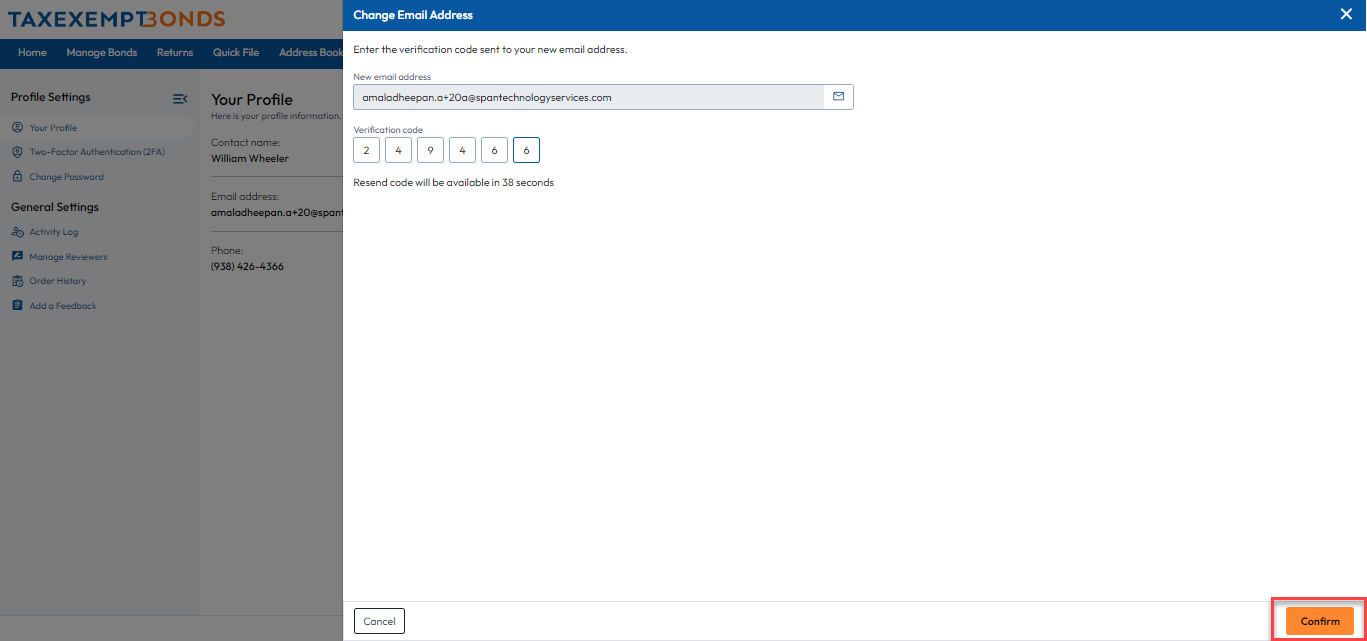
Step 3: You will receive an email with the verification code. Enter the code in the designated field and click ‘Continue’. Once the code has been verified, your new email address will be updated.

Need more help?
Get in touch with our dedicated support team Contact Us